
Work / The QGIS inspection suite
The QGIS inspection suite
Panarch's crews edit inspection data and make the client's reports in this QGIS suite. I wrote the framework every plugin runs on and many of the plugins.
Re-creation. The line, tower, finding and company are invented, and the images are drawn. No real template, schema, client, report or screenshot is shown, and none of the suite's code.
What the real one does
The whole company works in these QGIS plugins every day. Crews edit inspection data in them, and it all lands in one PostgreSQL database. The suite turns it into client-ready reports. Since 2018 I have written the framework every plugin runs on and many of the plugins.
- Detection and geotagging. YOLO detection finds components on the photos, and the geotagger ties photos, tie points and elements together in 3D. See the detection and the geotagger re-created.
- Reports. Reports used to be made by hand. Now data is edited in forms generated from it, and pages are laid out in the suite's own template editor. A batch run turns the database into finished PDFs, and non-technical staff produce the reports themselves.
- Everything around them. Project set-up and import, the editor where the team reviews data, LiDAR wire detection and centreline extraction, and cross-sections. All of it runs on the shared framework I wrote in 2018. The 2026 port to QGIS 4 and Qt 6 spanned five repositories, with a compatibility layer that keeps QGIS 3 working.
How the demo works
Fill in a finding, look at the template behind its report page, and run the batch over 240 findings.
The suite has two main parts. One is the geotagger with YOLO detection. The detector finds dampers, spacers and clamps on full-resolution photos. The geotagger ties each detection to its photos, its tie points and its element in 3D, so reviewers check results in place on the map. The detection, geotagger and camera-model demos show how.
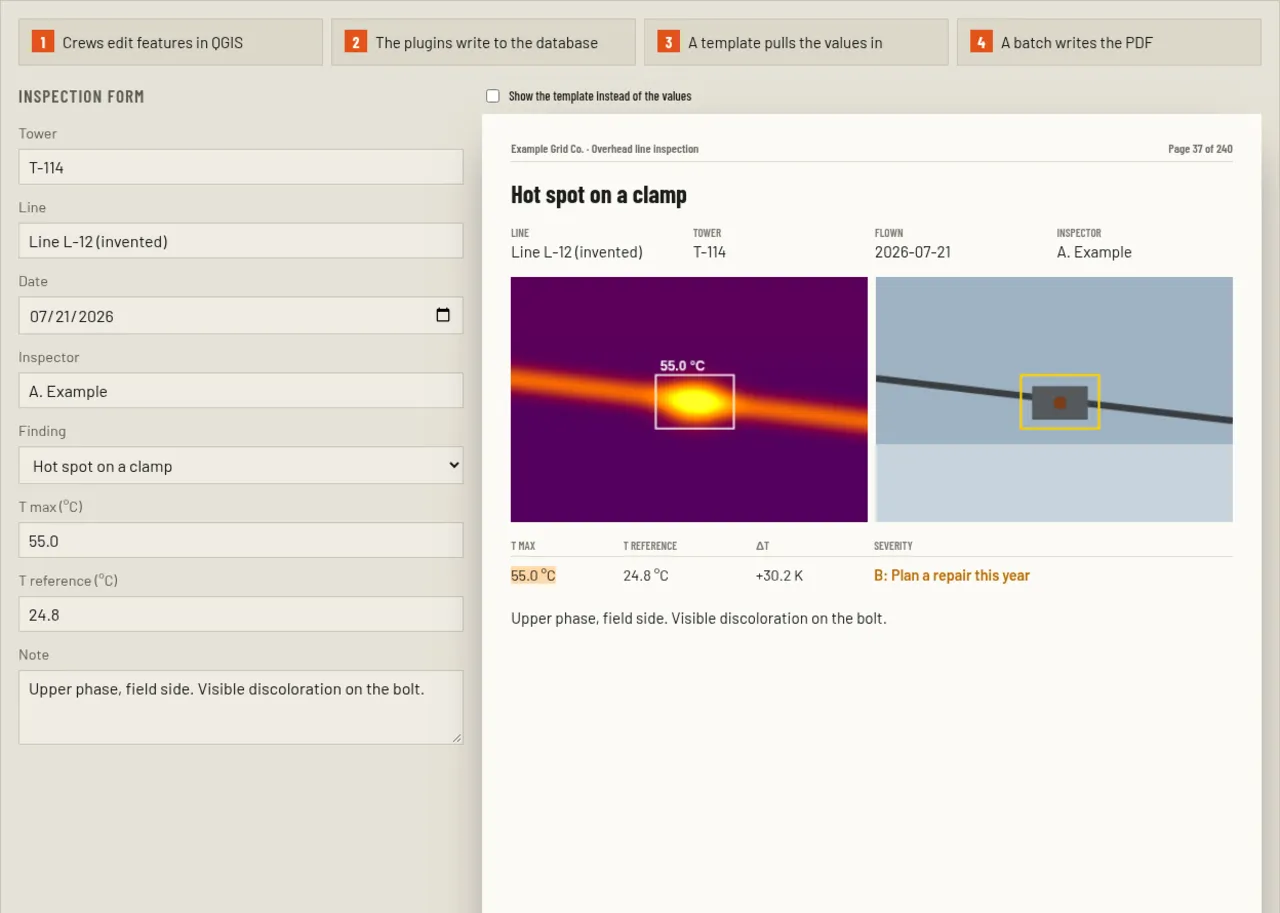
The other part is what the client receives. Crews fill in each finding in a form inside QGIS, and the plugins write it to the database. A template from the suite's own page editor pulls in the values by key, and a batch run writes the report as a PDF, one page per finding. Nobody types the severity: a rule on the measured temperature difference sets it, so it stays consistent across hundreds of pages.
Above, the left side is the form, the right side the finished page. Tick the checkbox to see the template behind it, where every value is a key. The batch button runs through 240 invented findings the way a real job does.